What Is Largest Contentful Paint?
Largest Contentful Paint (LCP) is called a user experience (UX) metric what google observe through search traffic. It is a time what a page takes between the browser starting to load a page and the appearance of largest content element (image or text block) on that page appearing on the screen.
Google declared LCP is one of the Core Web Vitals. It is very important because a set of three metrics Google use to measure performance of a website on basis of user experience UX.
The other two are:
- First Input Delay (FID): how much time it takes the page to respond when a user attempts to interact with it
- Cumulative Layout Shift (CLS): a measure of how much the page layout shifts unexpectedly while the page loads
LCP, FID, and CLS are interconnected, with each one having an impact on the other two. For example, having a high LCP could also lead to a high FID due to the web browser not being able to respond to a user’s input until it loads the LCP element.
LCP is a better indicator of when a webpage is ready to be interacted with. FCP can be a bit misleading, since the first element loaded could be something very small—such as an empty image tag—instead of the main content of the page.
Difference between Largest Contentful Paint & First Contentful Paint
It is confusing but be clear about LCP with First Contentful Paint (FCP). These are two very different metrics wherease LCP measures the loading time of the largest element on the page, FCP measures the time between the page starting to load and the first visual element being rendered on the screen as UX.
Does LCP Important for Website Performance?
People wants that a website load fast after click in a second. Improving your LCP score is important factor while website load faster and quickly ready for users to start viewing more quickly.
A higher LCP score can help you achieve:
- Higher rankings: Core Web Vitals are important factor, LCP has an effect on how Google ranks your website. By improving LCP, you increase the possibility of your website gets higher rankings, and start generating more traffic while pages got top 10 position
- Lower bounce rates: Having your website load faster reduces the chance of impatient visitors leaving your website too soon
- Increased conversion rates: Improved LCP means a faster website. And fast websites tend to get higher conversion rates.
What Is a Good LCP Score?
LCP is measured in seconds.
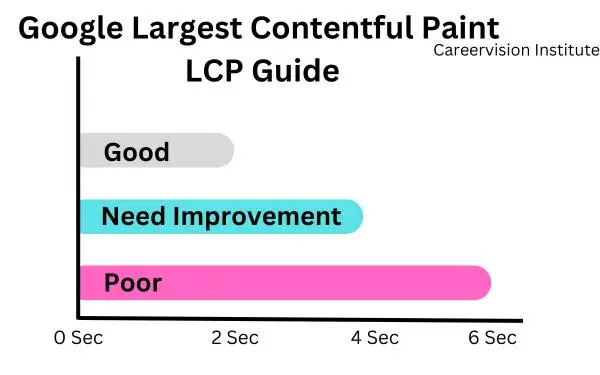
- A good LCP score is 2.5 seconds or less. You’ll need to meet this score in order to pass Google’s Core Web Vitals check.
- An LCP score between 2.5 and 4 seconds means your website speed needs improvement.
- An LCP of more than 4 seconds means your website speed is poor and needs significant improvement.
What Causes a Low LCP Score?
Four factors can lower an LCP score on your web page:
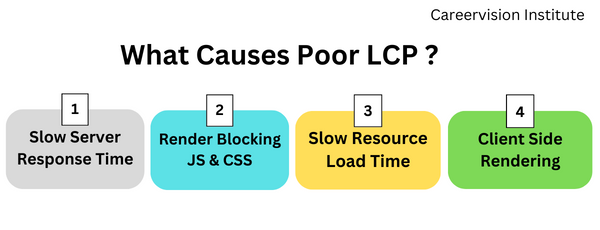
- Slow server response times:When a web server where your website hosted is slow to respond, cheap web hosting cause such problem the largest content elements can take more time to render
- Render-blocking JavaScript and CSS:Certain page elements (scripts, stylesheets, cookie banners, page-building blocks on WordPress sites, etc.) cause blocking the process of loading an HTML page. This causes a delay in loading website large content.
- Slow resource load times:High-definition images take more time to load compared to text. Placing images above the fold (the top portion of a webpage sometime visible without scrolling) this cause a negative effect on LCP
- Client-side rendering:Using client-side rendering can result in slower web page load times, especially when it involves a large amount of JavaScript or when the content is loaded for the first time in a user browser
How to Measure Largest Contentful Paint?
A few tools make measuring LCP quick and painless
Site Audit SEMursh Tool:
- Go to the Site Audit Tool in SEMursh, Type in your domain name, and click “Start Audit.”
- The Site Audit tool provide an option to either analyze the desktop or mobile version of a website in the “Crawler settings” section. You can choice between using Google desktop or mobile crawler bot , or Semrush crawlers.
- We need to know that, what is difference between your desktop and mobile websites look alike, the data in the reports might differ slightly depending on whether you choose a mobile or desktop crawler.
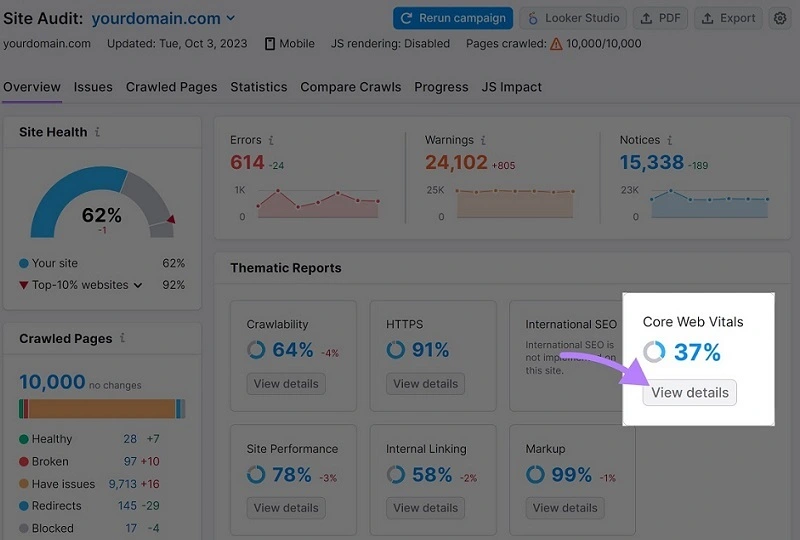
- Now, you simply keep the default settings and click “Start Site Audit.” This crawler tool will crawl a website. Once the report is generated, click “View details” in the “Core Web Vitals” section.
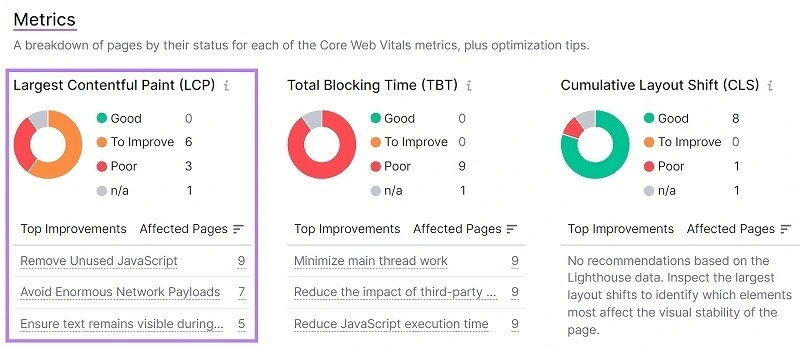
Click Next and scroll down to see the “Metrics” section. Here, you will see your website page LCP score. You will see a complete list of recommendations to improve it.
Google PageSpeed Insights
Go to Google’s PageSpeed Insights, enter the web page URL address you want to check, and click “Analyze.”
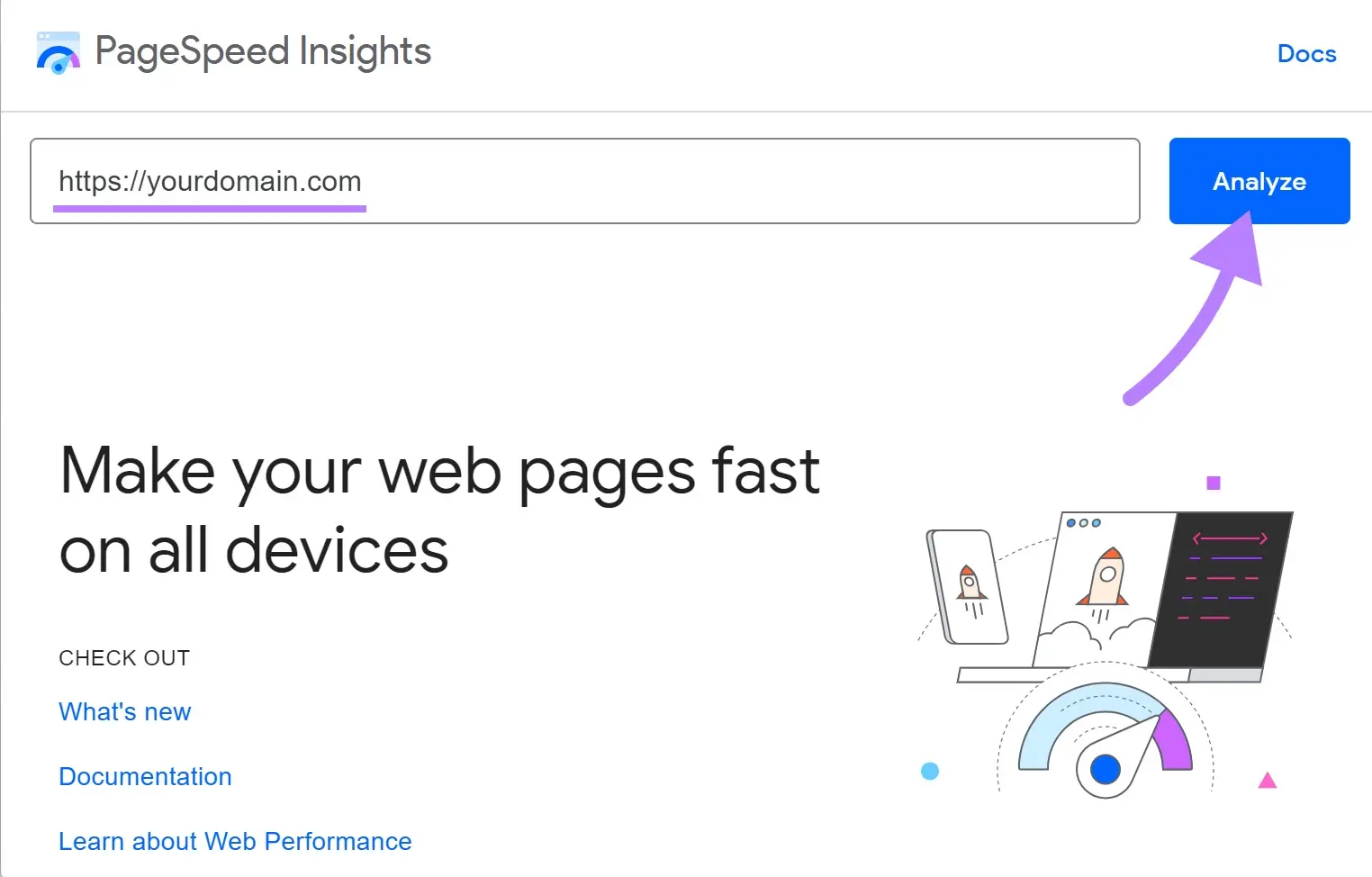
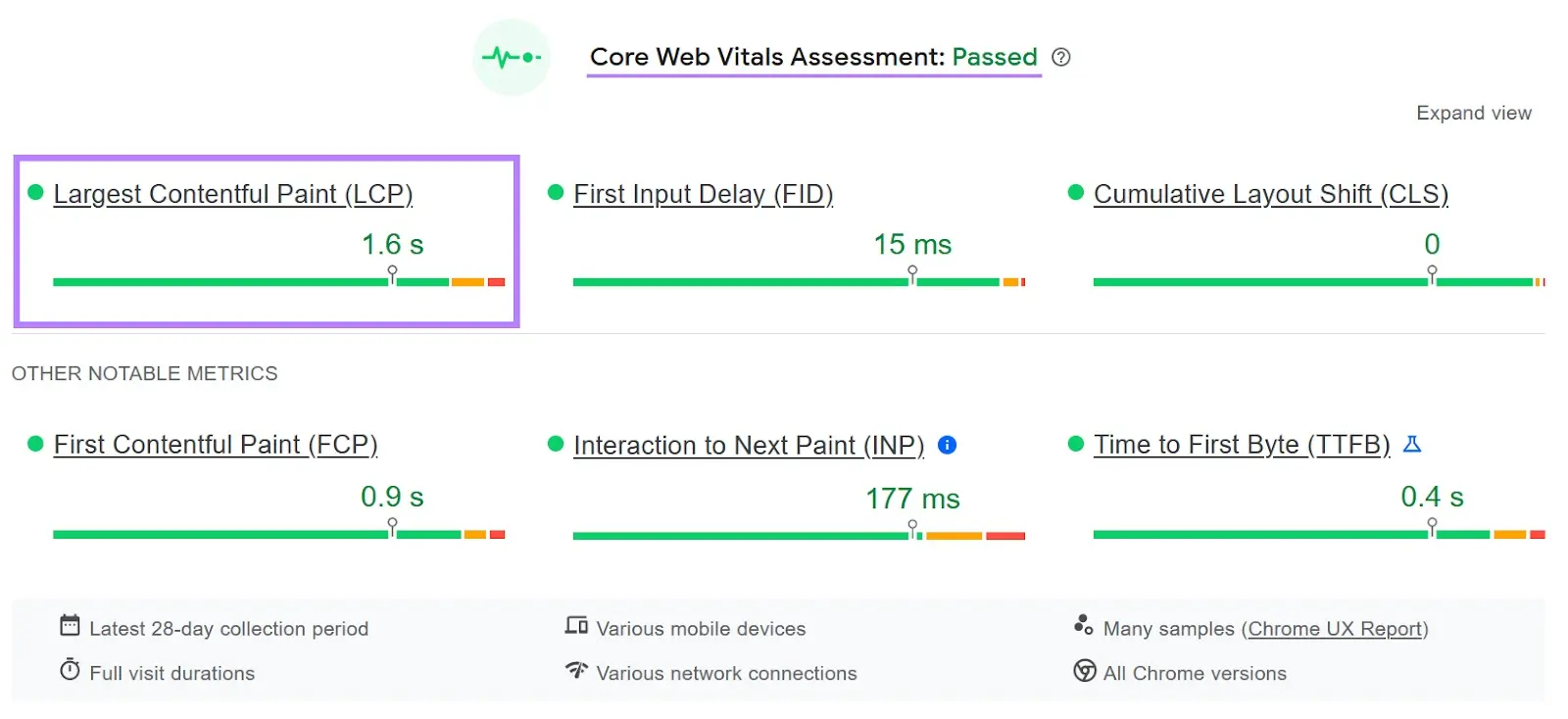
The tool execute to generate a detailed report outlining your google web page performance over internet. You will be able to see page's LCP score in the “Core Web Vitals assessment” section.
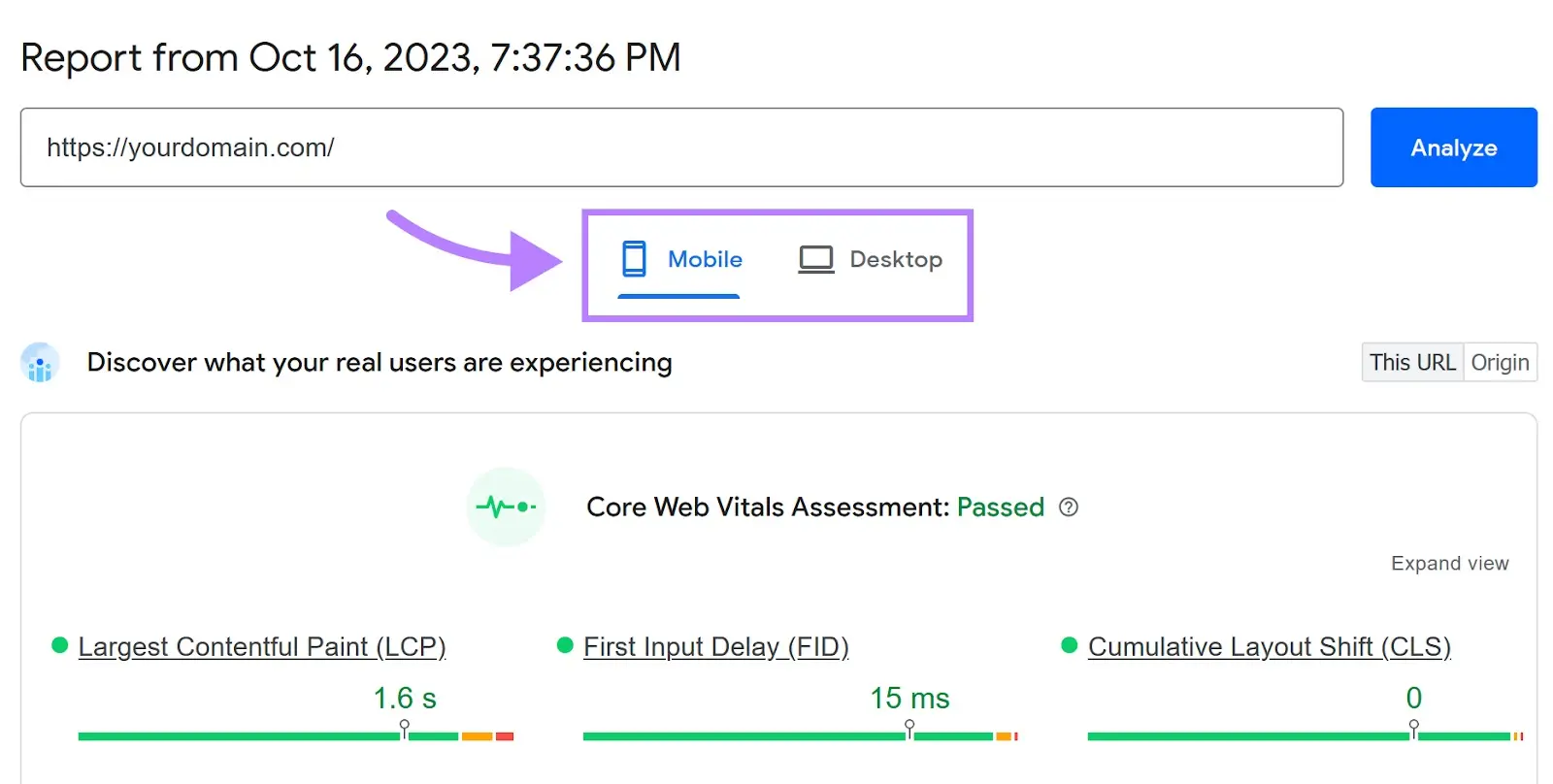
You can swith option between mobile and desktop reports to understand how the mobile and desktop versions of your website perform in terms of LCP score.
How to Fix Largest Contentful Paint Issues:
After analyzing reports by google page speed testing, a report from the previous step indicate that your website has LCP issues? you will get a proper descriptive reason and guidelines how to fix them.
Identify the LCP Element
For improving LCP score, first step requires to identify the element you are trying to optimize.
You can find the LCP element on any page with Google’s PageSpeed Insights tool. Simply type in the page’s URL, and click “Analyze.”
Page speed tool will generate a report, see “Diagnostics” section, and click “Largest Contentful Paint element.” to see LCP element details for that page.
In report you will check LCP elements will vary across pages. it might be a heading or a paragraph of text or in some cases it might be an image or a video’s poster image